Install and usage guide
Use dw Secret Notes as app or directly in your browser.
Android app (Google Play)
The full app including Premium features is available in the Google Play Store.
Get it on Google Play ↗Windows Desktop / Windows-Installation
Native Windows-Version 6.1.0 (64-bit). Get the tested setup file, or use the PowerShell installer. / Native Windows-Version 6.1.0 (64-Bit), als Setup oder über PowerShell.
Windows 64-bit Setup herunterladen (25,4 MB)
PowerShell-Installationsskript herunterladen
- Setup herunterladen und starten. / Download the installer and run it.
- Sprache und Installationsordner auswählen. Administratorrechte sind nicht erforderlich. / Choose a language and installation directory; no admin rights needed.
- Nach der Installation über Startmenü „dw Secret Notes“ öffnen. / Launch dw Secret Notes from the Start menu.
Installation aus dem Internet mit PowerShell
PowerShell öffnen, das Skript über HTTPS herunterladen und anschließend ausführen. Das Skript prüft vor der Installation die SHA-256-Prüfsumme des Setups. / Download and review the script, then run it; the installer hash is checked before execution.
$script = Join-Path $env:TEMP 'dw-secret-notes-install.ps1'
Invoke-WebRequest 'https://domezos-ware.com/downloads/install-windows.ps1' -OutFile $script
powershell -NoProfile -ExecutionPolicy Bypass -File $script
SHA-256 des Installers / installer checksum:
E149838DC670A84706FD5AB9BF252E1AE6E3B71C3BEB2D33249F505E95A93693Hinweis: Das Setup ist derzeit nicht code-signiert; Windows SmartScreen kann warnen. Die Prüfsumme bestätigt die heruntergeladenen Bytes, ersetzt aber keine digitale Herausgebersignatur. / The setup is currently unsigned; Windows SmartScreen may warn. A checksum is not a publisher signature.
Install as web app (Service Worker)
No store needed: the web app is installed through the browser, starts like a normal app and keeps its shell available offline. Encrypting and reading messages always requires a connection.
- Android (Chrome): open the three-dot menu and choose "Install app" or "Add to Home screen".
- iPhone / iPad (Safari): tap Share and choose "Add to Home Screen".
- Windows / Mac (Chrome, Edge): click the install icon at the right end of the address bar.
Usage in 4 steps
-
Write your message.
Type your secret in the Encrypt tab, optionally attach an image.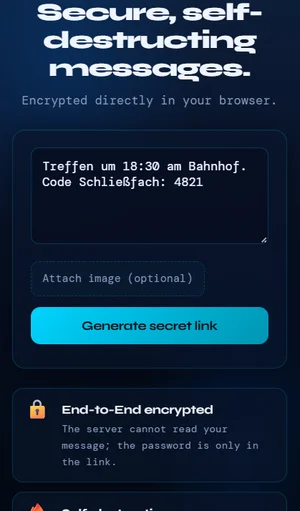
-
Generate the secret link.
Tap "Generate secret link". Encryption (AES 256) happens in your browser.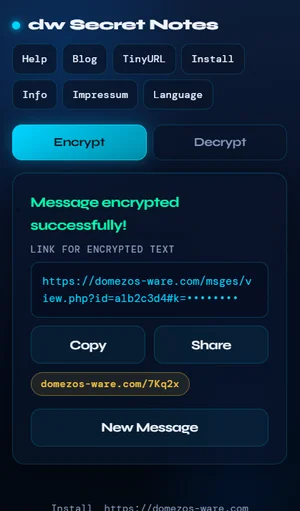
-
Share the link.
Copy or share the link. The password is only inside the link. -
Read once.
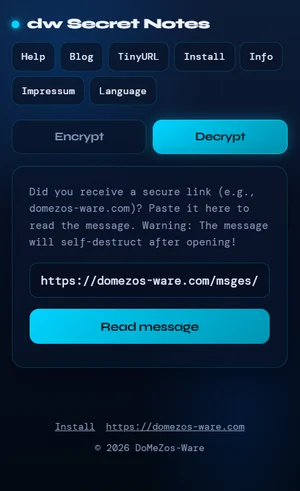
The recipient pastes the link in the Decrypt tab (or opens it directly). After reading, the message is deleted permanently.